ATP Data Analysis – Powered by Claude
I’m a bit late to the AI party; I just started using Claude a couple of months ago. My first use-case was analyzing environmental monitoring data that I had Claude extract from PDF files. What a timesaver! Saved me from having to read and transcribe results from each document. Next came manipulating the data in Excel. Let’s see, how do you use XLOOKUP again? Normally, that would involve heading over to YouTube to re-learn the Excel functions I use once every six months. After installing the Claude Excel add-in, what used to take hours was done in less than 30 minutes.
I was an AI skeptic; I didn’t believe all the hype around AI, and I still discount a lot of it, but it’s a great productivity tool that has already paid for itself. I’ve also used it for literature searches and research reviews and analyses, where I ran into some limitations. If you are very familiar with a topic, you may find a mistake here or there or need to point Claude in a different direction. If you are not already familiar with the topic, then be careful, read important primary sources yourself and discuss with others to validate what Claude has generated. In fact, it is a good idea to review primary sources no matter what.
Many of you are way ahead of me on this. How do you use AI in your food safety program? If you would like to share, email me, and I will include your comments in this post.
As for ATP data analysis, if you are like me, you’re not particularly happy with either the Hygiena or Charm online data platforms. I described an interactive dashboard to Claude and provided it with data; results are at the link below. Take a look. For the online Claude version, after extracting the files, drop the readme file into a new Claude chat and follow the directions from there. The download also includes an Excel template you can use for your own data. Doesn’t matter what ATP meter you are using; assuming your data is in spreadsheet form, just copy and paste it into the template, give Claude the Excel file and example dashboard, and tell it to replace example data with yours.
For those of you who are not already familiar with Claude, or don’t want your data exposed to the Internet or Claude, I have also included a link to an offline version. The process is essentially the same.
From there, poke around and see how things work for you. If you are using the Claude version and you want to change something, just tell Claude what you want and test. Keep that up until you get exactly what you want.
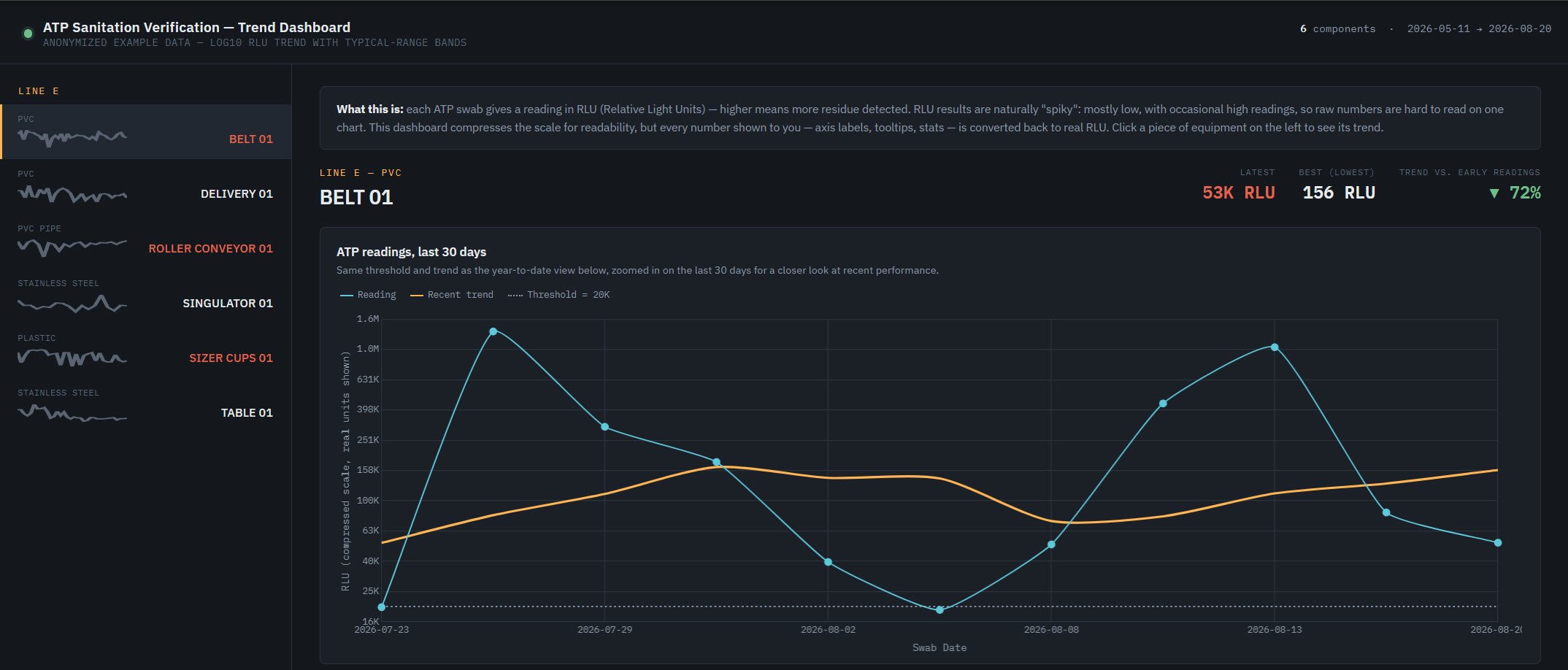
Sample of anonymous dashboard data.
If you need a hand or more info, don’t hesitate to let me know.
Online version, for use with Claude:
https://cffa.safefreshfruit.com/ATP_Dashboard_Claude.zip
Offline version, not connected to Internet, does not require Claude:
https://cffa.safefreshfruit.com/ATP_Dashboard_Offline.zip
Best,
George